15 coming-soon pages that collect real signups.
Each template is one HTML file with a live countdown and a working email form. Set your launch date, paste one link from your form provider, and upload.
- No build step, no framework
- Works on phones from 320px
- Signups go to your own tools
Pick a look. They all work the same way.
Open any template to try it. The form on these previews runs in demo mode, so nothing you type is saved.
 Open live preview
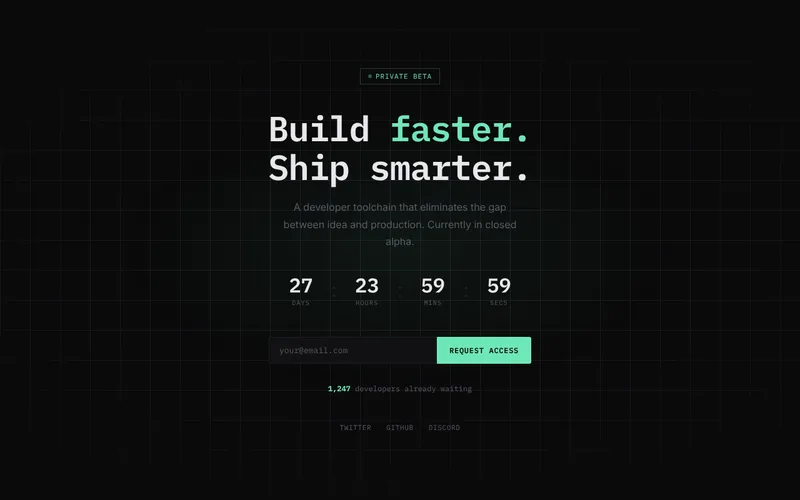
01-obsidian.htmlDark grid and monospace type for developer tools and technical products.
 Open live preview
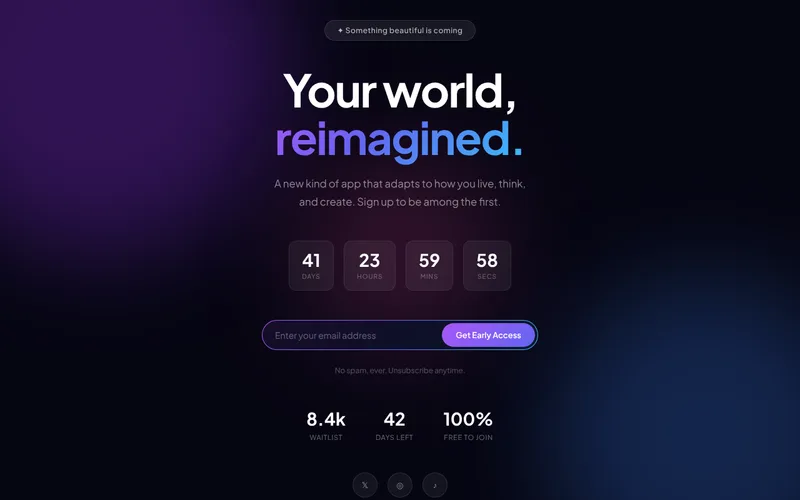
02-aurora.htmlFloating colour on a dark gradient for consumer apps and mobile products.
 Open live preview
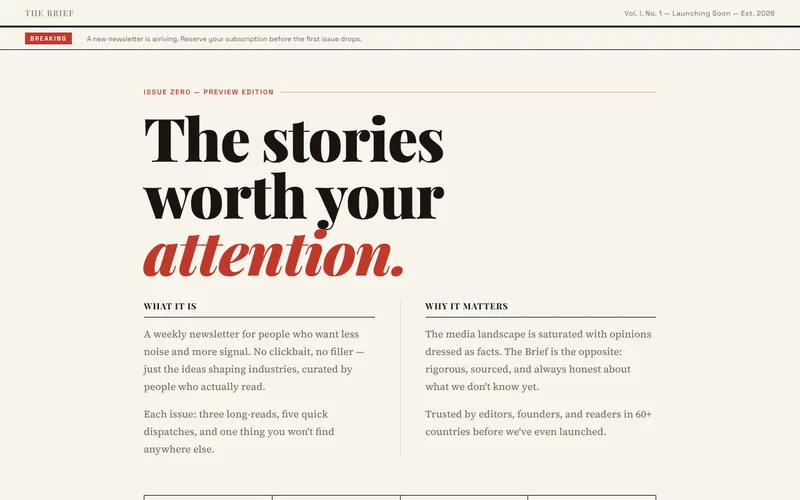
03-editorial.htmlNewspaper layout with serif headlines for newsletters and media.
 Open live preview
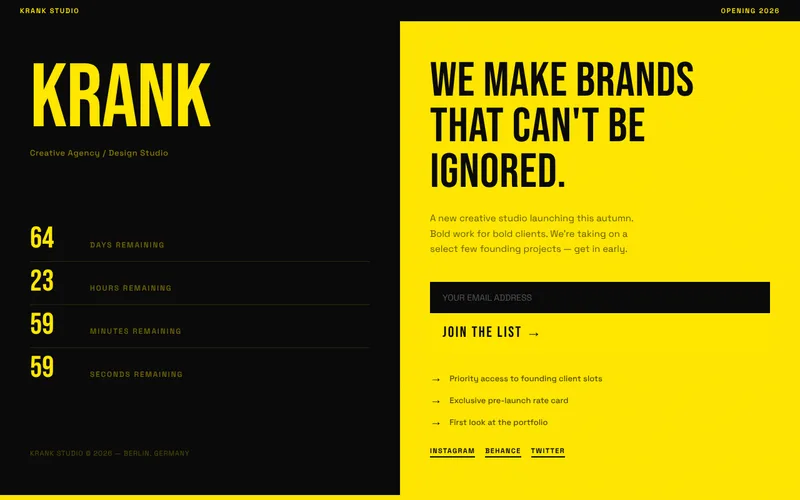
04-brutalist.htmlLoud yellow and black split layout for agencies and studios.
 Open live preview
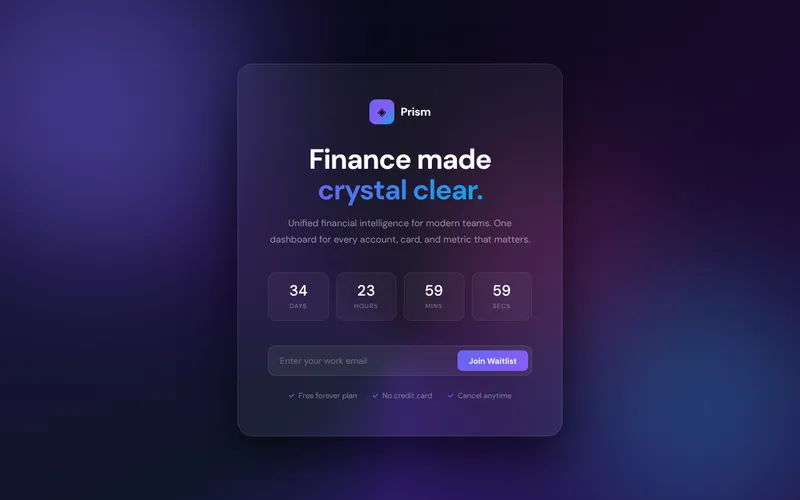
05-glassmorphism.htmlFrosted glass card on a deep gradient for fintech and B2B products.
 Open live preview
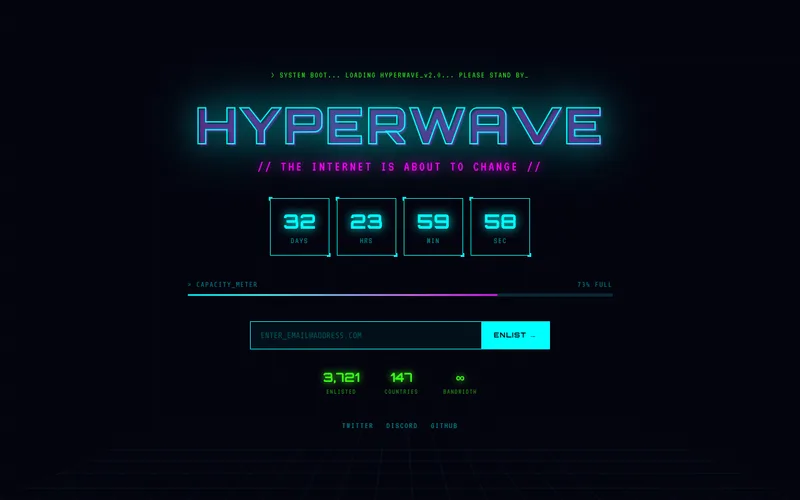
06-retro-y2k.htmlNeon scanlines and pixel type for games and nostalgic products.
 Open live preview
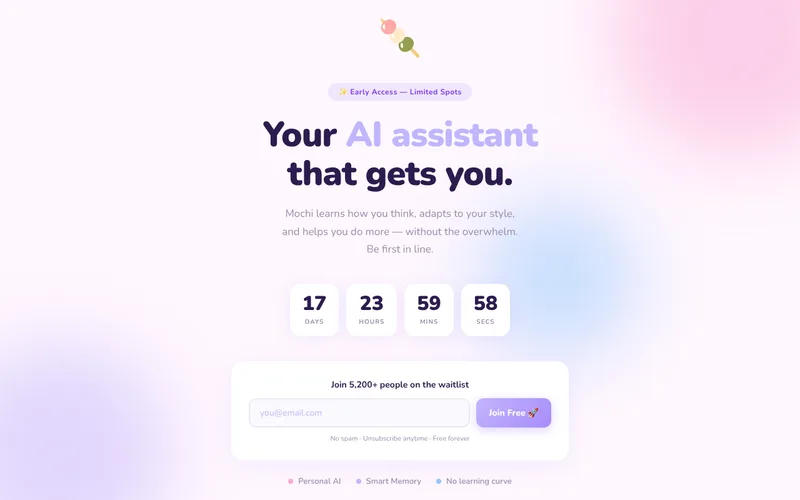
07-pastel-ai.htmlSoft pastel colour and rounded shapes for AI assistants and friendly apps.
 Open live preview
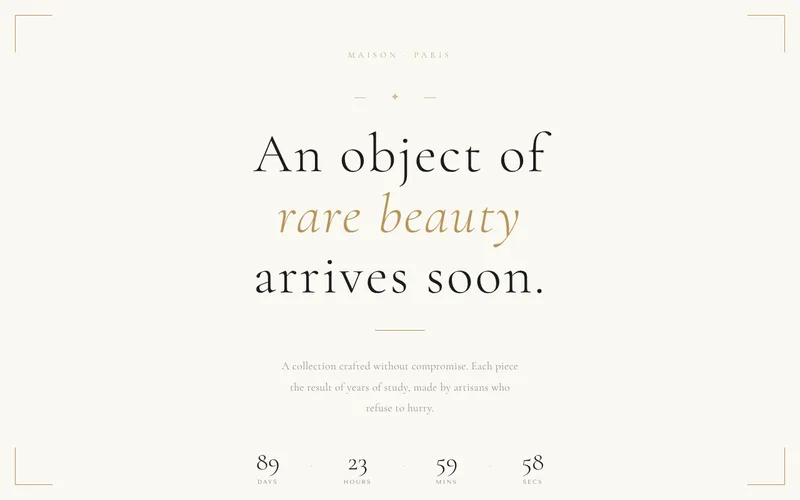
08-luxury.htmlCream, gold and fine serif type for fashion, jewellery and hospitality.
 Open live preview
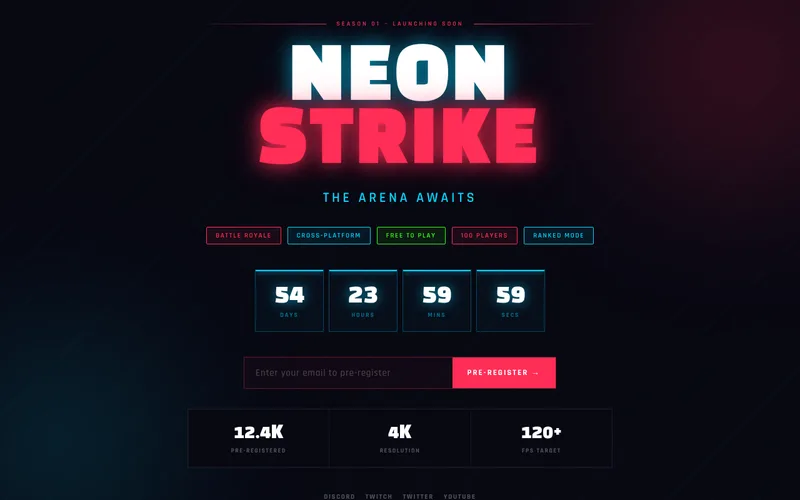
09-neon-gaming.htmlRed neon and heavy type for game and esports launches.
 Open live preview
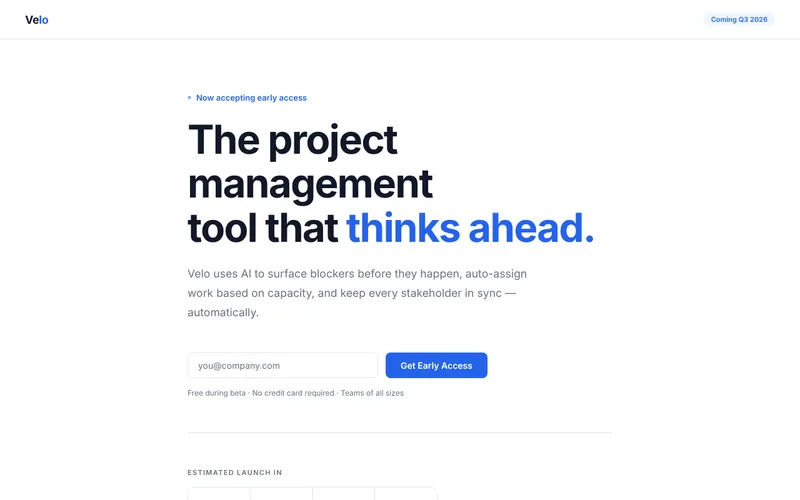
10-clean-saas.htmlWhite and blue with feature cards for B2B software.
 Open live preview
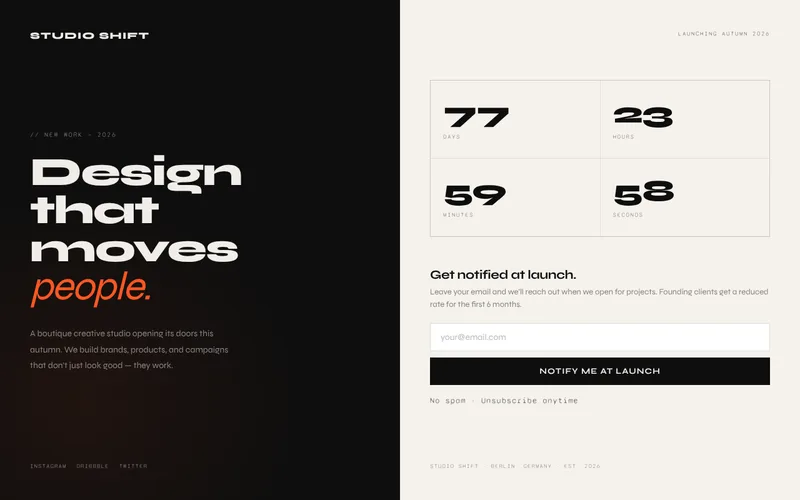
11-split-screen.htmlHalf dark, half light with a grid countdown for studios and portfolios.
 Open live preview
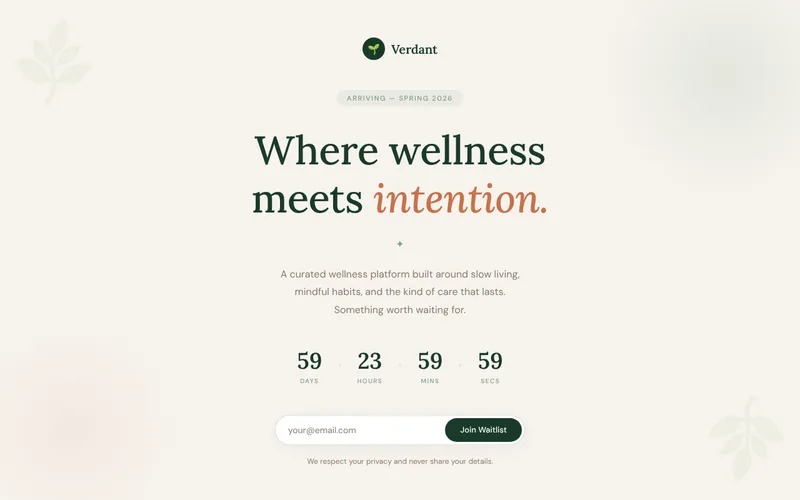
12-nature-wellness.htmlWarm cream and soft greens for wellness, food and sustainable brands.
 Open live preview
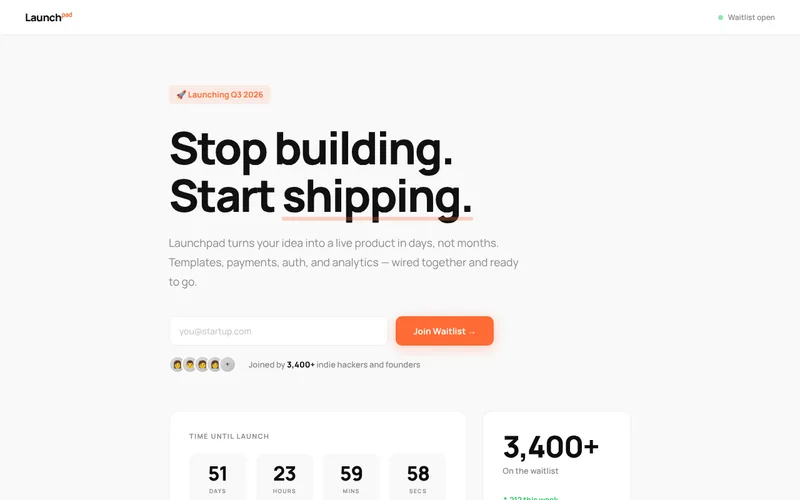
13-bold-startup.htmlOrange accent with avatars and stats for indie product launches.
 Open live preview
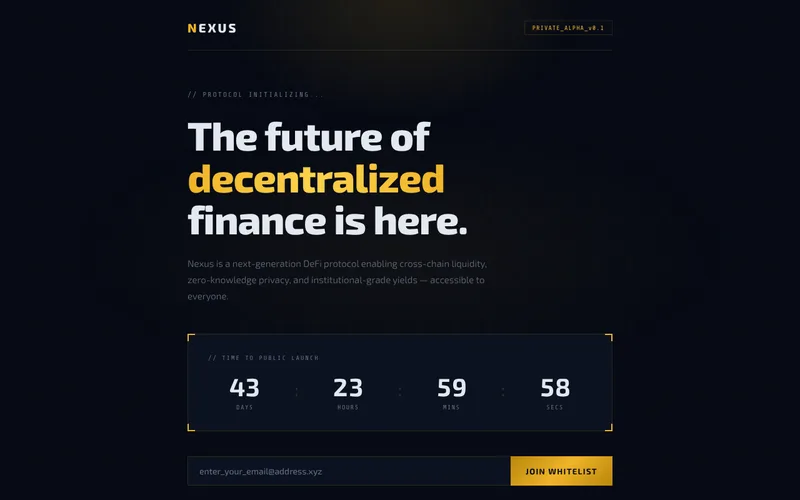
14-crypto-web3.htmlDark navy and gold with corner brackets for web3 and fintech.
 Open live preview
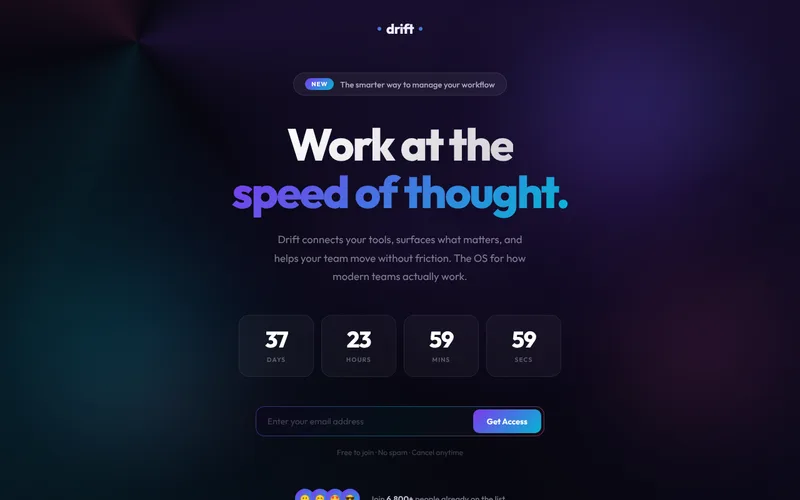
15-animated-saas.htmlA slow rotating gradient behind glass tiles for modern SaaS.
Live in three steps.
Every template has the same short settings block at the bottom of the file. That is the only code you touch.
Choose a template
Copy one file from the
templatesfolder and rename itindex.html. Change the name, headline and text to yours.Set the date and the form
Type your launch date, then paste the endpoint from Formspree, Google Sheets, Mailchimp or your own API.
Upload it
Drop the file on Netlify, Cloudflare Pages, Vercel, GitHub Pages or any web host. It is a static page, so hosting is free almost everywhere.
window.WAITLIST = {
  // countdown target
  launchDate: "2026-12-01T09:00:00",

  // where signups go
  provider: "formspree",
  endpoint: "https://formspree.io/f/abcd1234",

  // optional extras
  signupCount: 1247,
  redirectUrl: "",
  share: true
};
What every template does.
Sends signups where you want
Formspree, Web3Forms, Google Sheets, Mailchimp, Netlify Forms, or any URL that accepts a JSON POST. No backend to write.
Counts down to a real date
The timer runs to the date you set and stops at zero. It can also send visitors to your live site when the countdown ends.
Blocks the usual spam
A hidden honeypot field catches most bots without a captcha. Emails are checked before anything is sent.
Tells you where people came from
Each signup includes the page, the referrer and any utm tags in the link, so you can see which post brought them.
Helps signups spread
After joining, people get links to share on X and LinkedIn or copy the page link. You can switch this off.
Handles the awkward moments
Clear messages for a bad email or a failed request, a busy state on the button, and no double submissions.
Fits small screens
Checked at 320, 375, 390 and 768 pixels wide. Forms stack and countdowns shrink instead of spilling off the screen.
Works with a keyboard and screen reader
Labelled inputs, visible focus, announced success and error messages, and reduced motion when the visitor asks for it.
Ready to share
Title, description, social card tags, theme colour and favicon are already in place. Swap in your own text and image.
Questions people ask first.
Do I need to know how to code?
You need to be able to open an HTML file in a text editor, change the words, and fill in two or three settings. The documentation walks through each step for every form provider.
Where do the email addresses go?
To the service you choose. The page sends each signup straight from the visitor's browser to your Formspree form, Google Sheet, Mailchimp audience or API. Nothing passes through us and there is no monthly fee from this kit.
Is there a free way to collect emails?
Yes. Google Sheets is free and the Apps Script you need is included. Formspree and Web3Forms also have free plans that are enough for most launches.
Can I use these for client work?
Yes. One purchase covers unlimited sites for you and your clients. You may not resell or give away the templates themselves. The full terms are in LICENSE.txt.
What do I get in the download?
The 15 template files, this gallery page, an HTML documentation page, a README, the Google Sheets script and the license. Each template is a single file with its styles and script inside.
Does it need an internet connection to load fonts?
The templates load their typefaces from Google Fonts, with system fonts as a fallback. The docs show how to swap in another font or self-host one.
Have your waitlist page up today.
All 15 templates, the setup guide and the Google Sheets script in one download. Pay once, use on every project.